
Demo without installation
Click through a complete IT procurement process.
The demo is a fully populated sample company: around 1,9 Mio € in IT expenditure across seven categories, agreed prices, contract expiry dates and reviewed invoices. You see exactly what a client sees, using synthetic data.
Free · no password · no sales call required
What the demo contains
Most tool demos show an empty shell in which data first needs to be created. This one is populated: a sample company with an established IT landscape across seven categories, covering mobile, fixed-line and WAN, Unified Comms, data centre, software and licences, hardware, Techfund and recurring invoices.
Every category has providers, contract expiry dates and cost history. Invoice review checks against the price in the contract, using the same mechanism as for an actual tenant.
Cost overview
Twelve months of spend by category and provider, with trends and anomalies.
Invoice review
Every invoice checked against the agreed price. If it differs, the discrepancy and its amount appear in the cockpit.
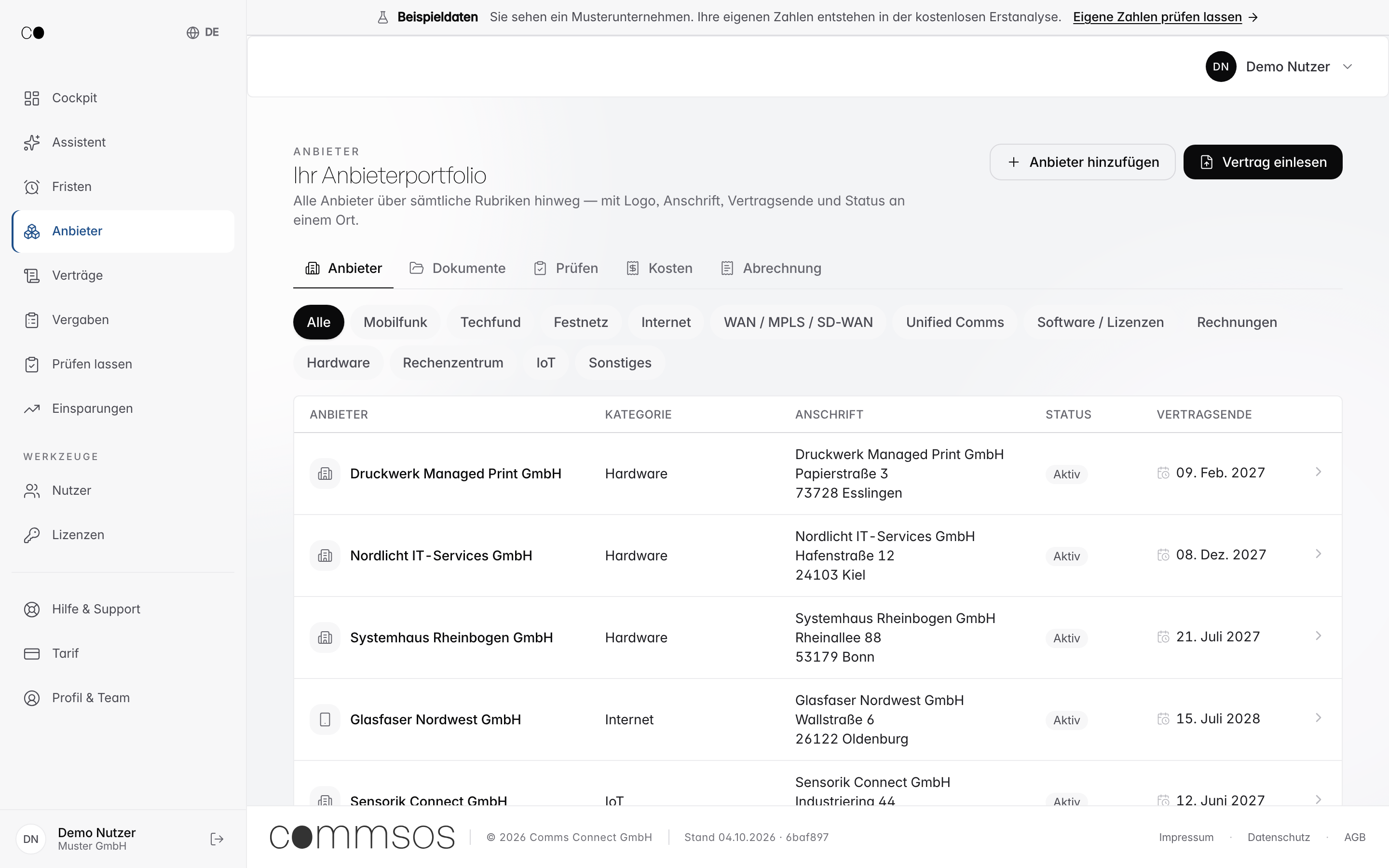
Provider catalogue
All providers with address, status and contract expiry in one place, instead of five Excel files.
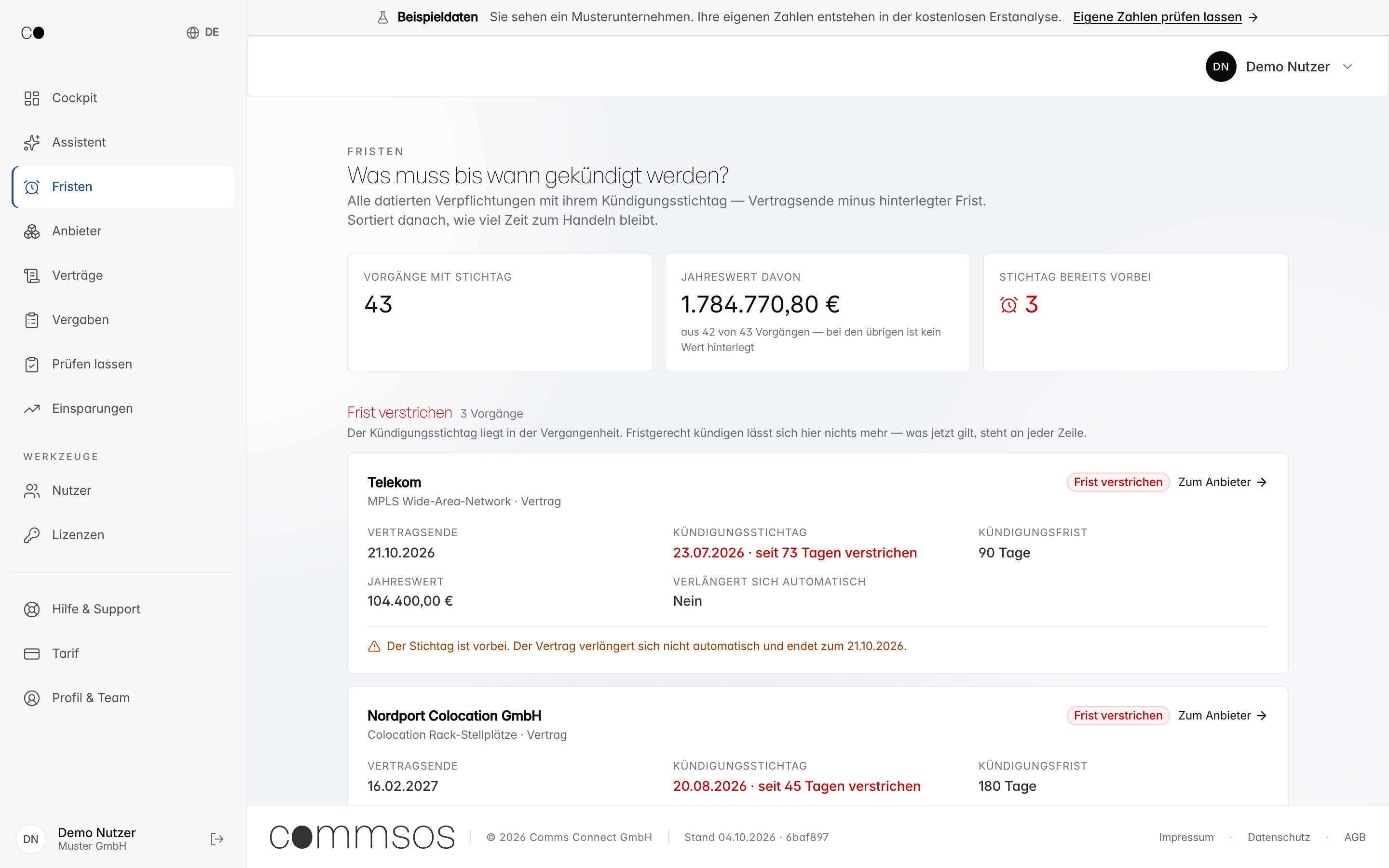
Renewal early warning
Anything expiring in the next 90 days appears at the top, with the provider, value and notice period rather than just a date.
How to gain access
- Enter your email address in the form below or directly at demo.commsos.de.
- Enter the 8-digit code from the email. No password, no registration.
- Start in the cockpit and use the category pills to navigate the categories.
If you then want to see your own figures: the same process, using your contracts. We provide an initial assessment within two working days.
Request access
Demo access or a conversation?
Briefly tell us what you need: demo access, a specific question or an assessment of your contracts. We respond personally, usually on the same working day.
Frequently asked questions about the demo
- What does the demo cost?
- Nothing. The demo is freely accessible. You need neither a credit card nor a contract, only an email address for the access code. Demo access does not create a subscription. The cost of using CommsOS is published openly on the pricing page: One 0 €, Business 499 €, Corporate 1.999 €, Enterprise 4.999 € per month, excluding VAT.
- How do I access the demo?
- You enter your email address and receive an 8-digit code. This takes you straight into the portal. No password, no installation, no sales call required.
- Is this actual client data?
- No. The demo uses a synthetic sample company. It contains no client names, negotiated terms or actual invoices. The prices are public list prices and fictional demo values.
- What can I try in the demo?
- Everything a client sees: a cost overview across seven categories, invoice review against the agreed price, the provider catalogue with contract expiry dates, renewal early warnings and evidence of savings.
- How long does it take to get an overview?
- Five to ten minutes. You start in the cockpit; from there, the category pills take you directly to costs, providers and deadlines.
- What happens to my data from the form?
- We use it solely to answer your enquiry. No disclosure to third parties, no newsletter. Details are in the Privacy Policy.
Further reading
What you use CommsOS for.
The demo shows the portal. You can read what it addresses in each category here: